If you want to get more done while spending less, you need the right development tools. I used to rely on Clacky.ai, but the site has become unreliable lately. Yafei (the founder of Clacky.ai) mentioned that the team has shifted their focus to OpenClacky—it’s even better than the original and comes with $1 in free credit. So, I gave it a try.

OpenClacky vs. Clacky.ai
Here are a few pain points I experienced with Clacky.ai:
- It required a connection to a GitHub (or similar) repository to function.
- It didn’t allow for direct editing of local files; I had to manually copy changes back to my local machine (or commit them to a Git repo via Clacky.ai and then pull them locally).
Now, OpenClacky offers all the features of Clacky.ai while perfectly resolving these issues.
It seems that over the past six months or so, Yafei’s team realized that a "purely online" Vibe Coding model—while interesting—didn’t quite meet the needs of experienced developers. By shifting to a "localhost" Vibe Coding approach, everything just flows much better. The team didn’t ignore my earlier feedback; they faced the problems head-on and fixed them—truly commendable!
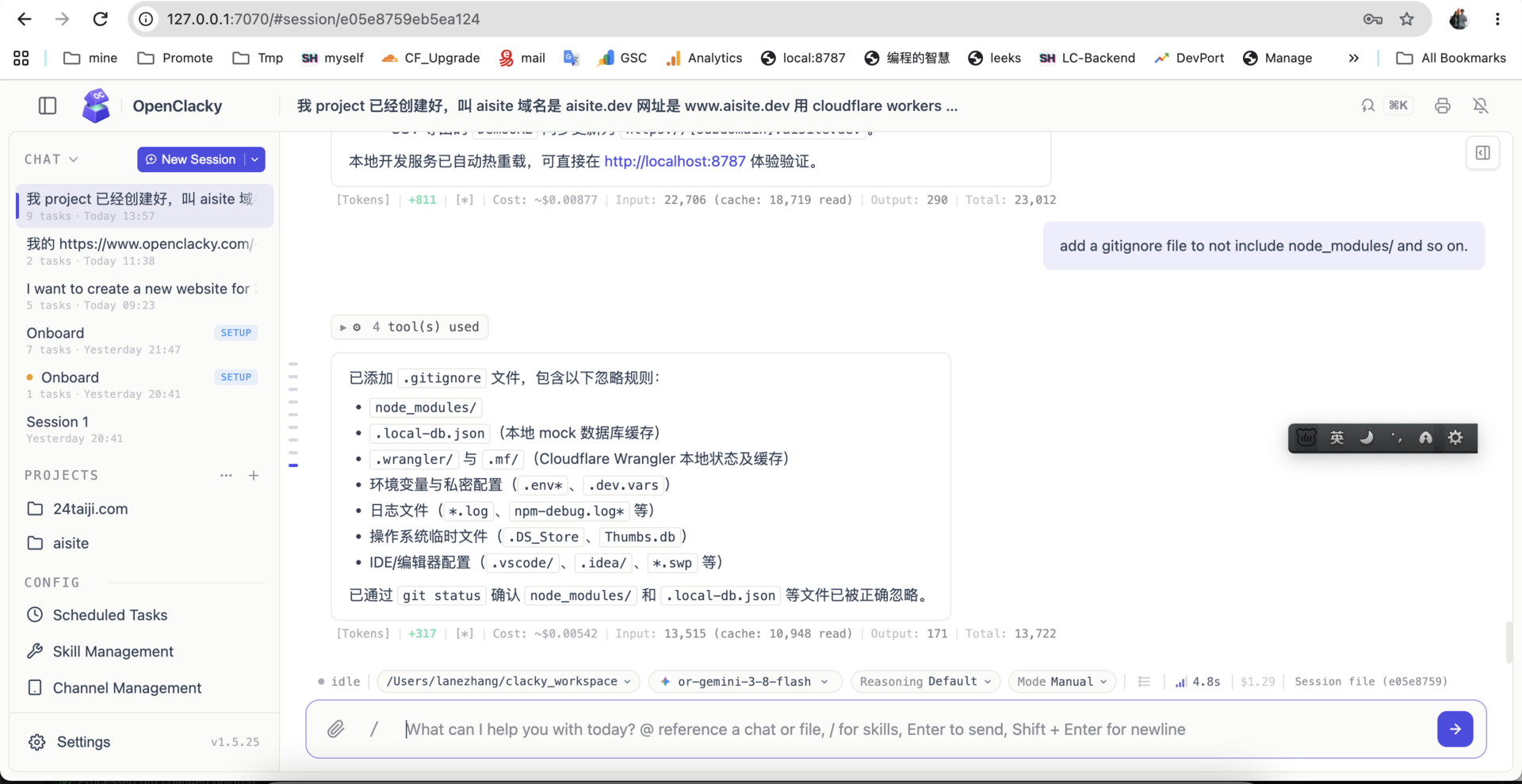
(Attached image: OpenClacky.com Vibe Coding interface)
OpenClacky vs. Trae.ai
- It’s more lightweight, consuming less disk space and memory.
- It supports working on multiple projects simultaneously, with each project running in its own browser tab.
- It features more up-to-date and powerful AI models.
- Unlike Trae, OpenClacky doesn’t constantly pester you with trivial questions—like asking for confirmation on every little thing—which would otherwise bring progress to a halt. With Trae, I’d often check back to see if the AI had finished a task, only to find it hadn’t done anything at all because it was stuck waiting for my input.
The most important part: A lot of work done, at almost no cost!
In just three hours, I built and launched two websites—taking them from zero to a fully deployed product. I’m very satisfied with the results. This was my first time using OpenClacky, as well as my first time configuring and utilizing a CloudFlare D1 database—an AI suggested using a free database for dynamic websites, which meant I didn’t even need to purchase a server.
- 24-Form Tai Chi: A static website.
- AI Site Builder: A dynamic website where user-submitted requests are stored in a CloudFlare D1 database. I also built a backend interface to easily review these user requests.
By the time I finished these projects, the $1 in complimentary credit had been completely used up. I promptly canceled my subscription to Trae and topped up my OpenClacky account instead.